Why Your Google Ads Account Gets Suspended and How to Fix It
Dubai exists as one of the most digitally active cities in the world, and my connection to the “city of the world" goes way back. Ever since 2005, I’ve been working with clients across Dubai, helping them set up practical digital strategies that work for them. Over the last two decades, I’ve witnessed in detail how the digital landscape has evolved, with each component of the ecosystem adapting to keep up with consumer expectations, technological innovation, and intensifying market competition.
Throughout this period, search engines have become smarter and social media platforms have transformed into full-scale ecommerce systems. However, one of the biggest transformations is how paid advertising has matured into one of the most reliable channels for fast and predictable customer acquisition. Organizations and businesses that once relied on traditional platforms have now completely shifted toward digital platforms.
I’m Tony John, a digital marketer with two decades of experience in Paid Ads and performance marketing strategies. I also head SpiderWorks, one of the top digital marketing agencies in Dubai. In my experience, while digital advertising is often seen as one of the most predictable strategies, it may fall short in some scenarios. Campaigns that are carefully planned and executed can suddenly stop when an ads account is suspended. The suspension often happens without warning, pausing campaigns, affecting lead flow, and creating uncertainty for businesses that depend on this channel for visibility.
I have seen countless businesses invest significant amounts of money only to encounter an account ban due to policy violations, technical issues, or account-level concerns they were unaware of. And I’ve had the opportunity to help them get back on track.
But why does this happen?
How can we fix it?
To help you through this process, I have crafted this blog on what exactly an ad account means and how to deal with it. We’ll go through the common reasons it occurs, how advertisers are notified, and the steps required to resolve the issue and restore campaign performance.
Overview of a Google Ads Account Suspension
Before we jump into the solutions, I want you to have a better overview of the phenomenon of Google ads. Not all problems can lead to the suspension of your ads account. I have noticed that many clients react with immediate concern before fully understanding the nature of the issue, often assuming that any disruption means their entire account has been disabled.
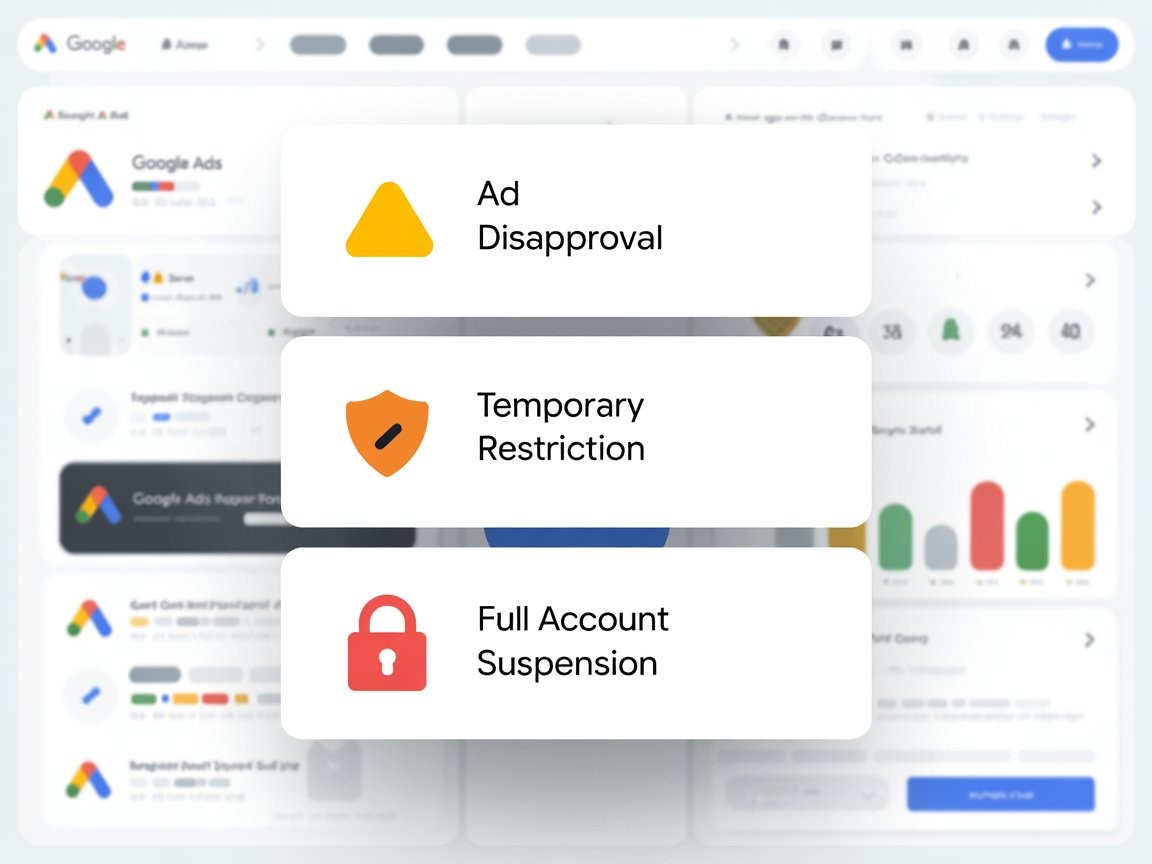
While some issues result in individual ad disapproval, others may trigger temporary restrictions, and only more serious or repeated violations lead to a full account suspension. Let’s take a detailed look at the different types of account bans and suspensions:
Ad Disapproval: This is the mildest issue. An individual ad is rejected because it violates specific ad policies. The rest of your account continues to run normally. You can edit the rejected ad and resubmit it.
Temporary Restriction: This ban is sort of like a middle ground. Certain parts of your account might be restricted from running new ads. This type of restriction may happen if you tried to promote regulated content like healthcare or financial services without proper certification, or you triggered spammy behavior. Temporary restrictions often require verification steps. Your account isn’t dead, but some features may be blocked.
Full Account Suspension: This scenario is the worst case. Your entire ads account is disabled. All campaigns will be paused immediately. You no longer have the option to create new ads, edit existing ones, or spend budget. A full suspension happens when a platform believes you’ve made serious violations or repeated policy breaches. In simple terms, this ban is like being locked out of your house and having the locks changed.
Understanding these distinctions is essential because each scenario requires a different response and resolution strategy.
Read more on: How to Solve Circumventing System Policy Violations on Google Ads
Common Reasons Ads Account Gets Suspended
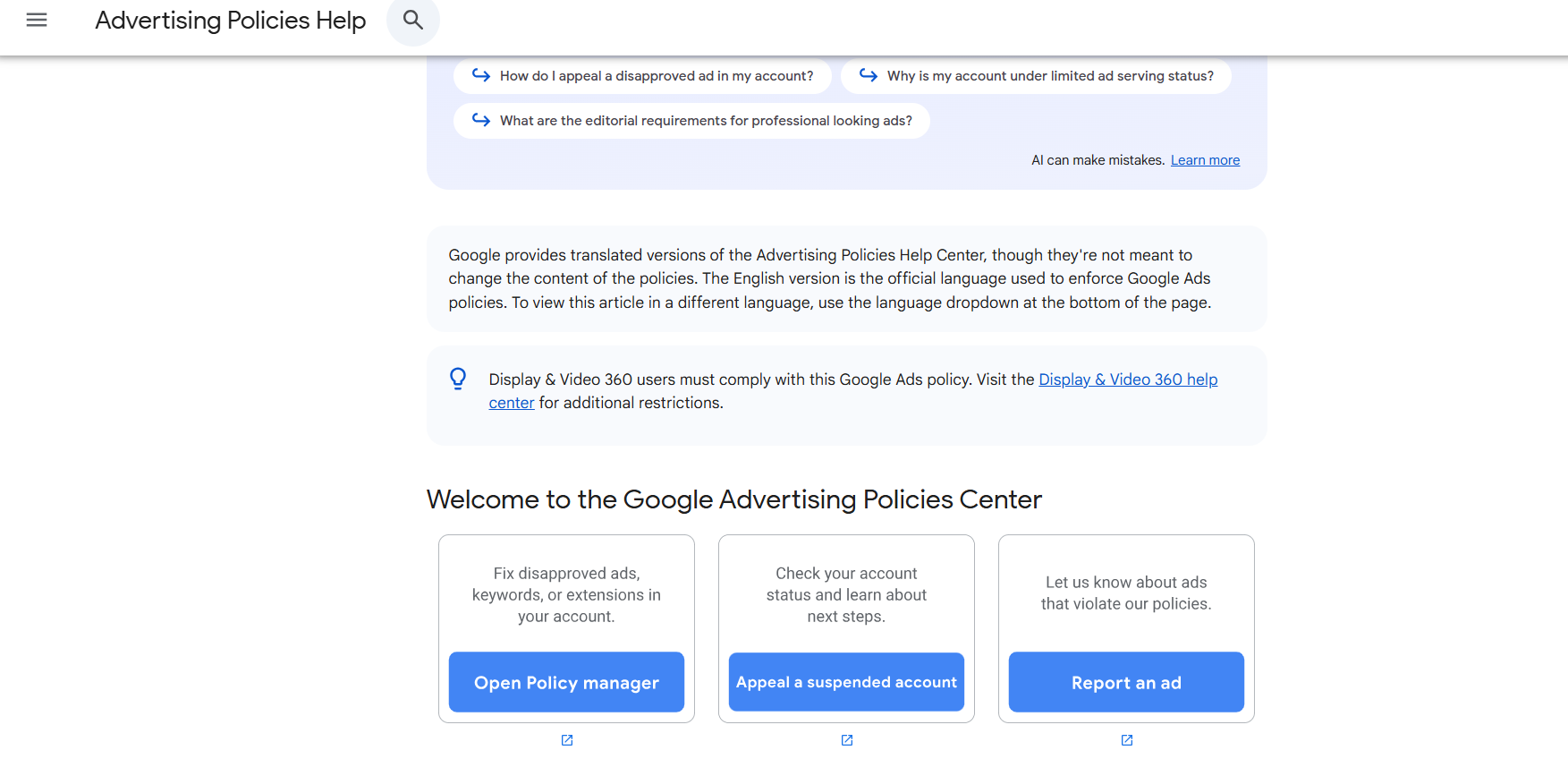
The Google Ads platform has a large number of complex policies outlined in their Advertising Policies Center. Sometimes a suspension will be handed out to you in a straightforward manner. At other times, it may feel as if the system is entirely against your campaigns. To help you understand, I’ve listed out some of the most common reasons why your account gets suspended:
- Repeated Policy Violations: The Google Ads platform has ad policies that govern what you can and cannot promote. Violating these repeatedly tells the system you’re not taking compliance seriously. These may include working with prohibited content, deceptive claims, or misleading landing pages.
- Unclear or Misleading Content: Google Ads that exaggerate benefits or make promises that can’t be verified can trigger bans. Even without ill intent, vague content can trigger a suspension if the platform thinks users will be misled by it.
- Poor Landing Page Experience: If your landing page doesn’t match what your ad promises, it signals a bad experience for the users. Additionally, if the page is choppy or filled with pop-ups, redirects, or low-quality content, it can trigger the ban. Most platforms want users to land somewhere that feels legitimate and stable.
- Suspicious Billing Activity: Sudden changes in spending patterns, failed payments, or using a payment method that can’t be verified can all trigger protective measures. I’ve observed this happening to my clients countless times!
- Promoting Restricted Products or Services: Certain industries are heavily regulated. Examples include politics, healthcare supplements, financial services, dating services, gambling, or cryptocurrency. If you try to run ads in these spaces without proper documentation, you may be suspended.
- Malware or Security Risks: If your site or linked content contains actual or potential malware, tracking scripts that violate platform rules, or unsecured forms, you can be flagged quickly.
- Unverified Business Information: Platforms often require verifications of business details, affiliations, and addresses. If this information is missing or inconsistent, you increase your chances of suspension.
How to Fix a Suspended Ads Account
Now that we’ve gone through the different types of suspensions and bans, let us get to the solutions. Here’s a step-by-step process on how you can get your account back and active:
Step 1: Understand the Suspension Reason
Log into your Google Ads dashboard and open the notification about the suspension. The platform will provide a basic reason for your ban here. Copy or screenshot the message so you can reference them later.
Step 2: Review Policy Documentation
Each platform publishes detailed policies. Google’s Advertising Policies are comprehensive, and they have a page dedicated to account suspensions. Reading these helps you separate what’s real from what’s ambiguous. Make sure that you stick to the exact wording, as often the violation is something subtle that you may have not noticed.
Step 3: Audit Your Entire Account
This is something my clients often fail at. They often end up fixing it and call it a day. However, you must review every active campaign, ad copy, creative, and landing page after fixing the issue. This step is critical, as suspensions often result from patterns, not single errors.
Step 4: Fix the Root Issues
After conducting a complete site audit, make the next move on fixing the root cause of the ban. Depending on the usual scenarios, the solutions are as follows:
- Rewrite ad copy to remove exaggerated claims.
- Improve landing page security and content quality.
- Remove prohibited products or services.
- Update business verification details.
If your landing page is insecure or slow, fix it first. If your claims are unsubstantiated, back them up with proof or remove them.
Step 5: Keep a Record of Changes
Keep a record of what you’ve changed and note down the reason why. This practical approach will help you in the next step when you write your appeal. Fixing your account requires more than just turning a switch; it is about building trust with the platform’s review systems.
How to Appeal for a Suspended Google Ads Account
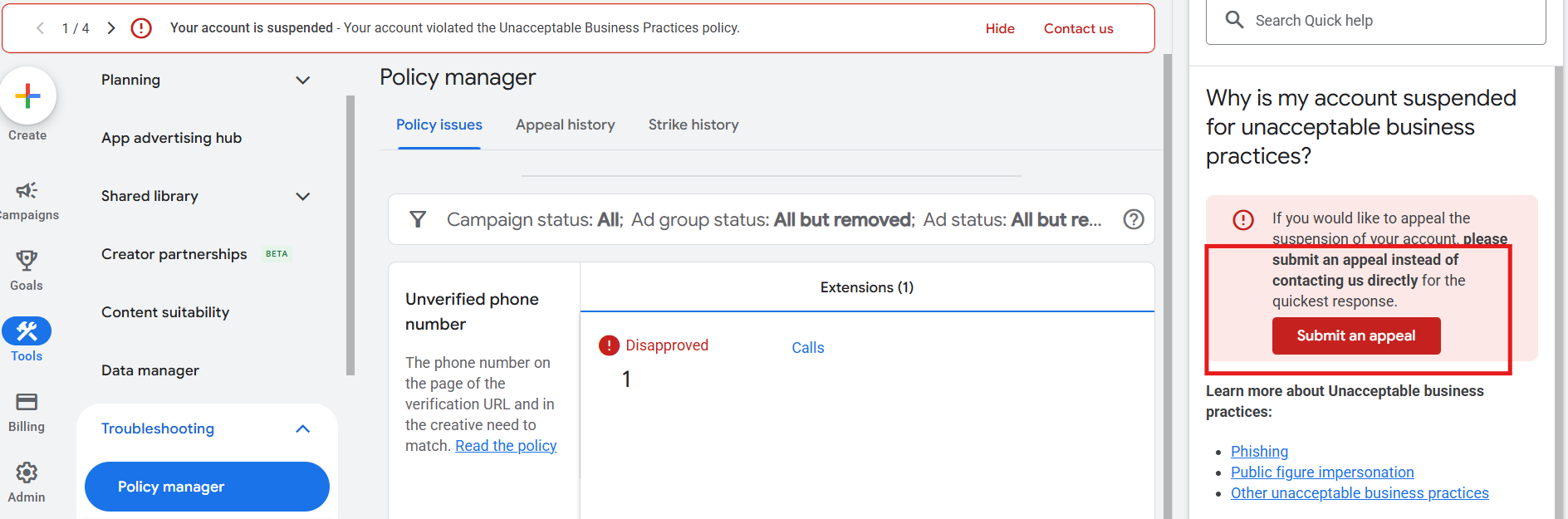
Once you’ve identified and resolved the root cause of suspension, the next step is to submit an appeal through Google Ads. Businesses and organizations who run ads often approach this stage with perplexity. While it may seem complicated, a well-prepared appeal can effectively resolve all issues.
In my experience, the success of an appeal depends less on urgency and more on the clarity of the document. You must make sure that the Google Review team understands exactly what the issue is and what changes were implemented to resolve it. The following are the steps involved in how you can appeal for a suspended account:
Step 1: Review the Suspension Message
Google will usually notify you which policy your ads violated. If not, go to the Ads Help and search for “account suspension” to see and learn the common triggers. Google’s support page is surprisingly detailed if you take the time to read it. (Google has an official suspension support page worth reviewing.)
Step 2: Fix the Problems First
Never submit an appeal without correcting every issue. Appeals that don’t address root causes get rejected. Google expects you to treat the suspension seriously.
Step 3: Fill Up the Appeal Form
Draft a clear, concise and specific appeal. Make sure that it emphasizes the following points:
- Acknowledge the issue
- List exactly what you fixed
- Tell them what steps you’ll take to avoid it again
Please avoid emotional language and stick to facts, as that is what the review team usually focuses on.
Step 4: Submit the Appeal
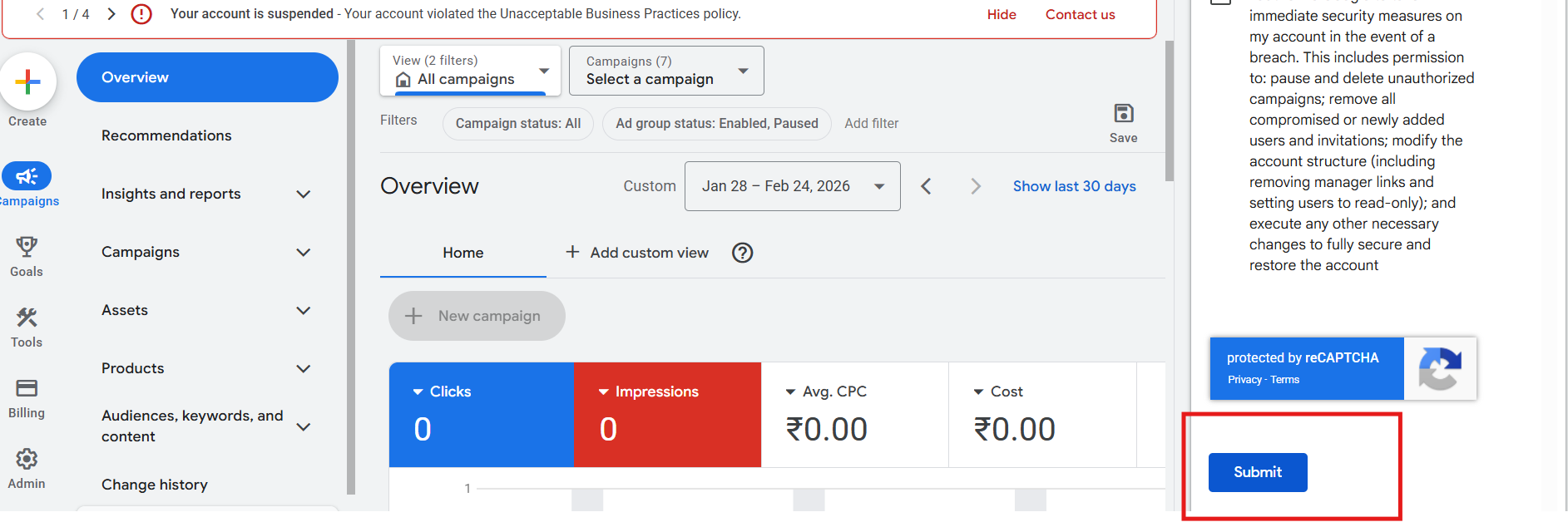
Submit your appeal using Google’s built-in appeal form. After submission, responses can take days or even weeks.
While it may feel like forever, try to remain patient throughout the process. Don’t submit multiple appeals for the same issue, as this can complicate the process and slow things down.
Step 5: Follow Up If Necessary
If you don’t hear back in the expected window, log back into your ads account and check the status. Sometimes Google updates the appeal status there before notifying you through different channels.
How Will an Advertiser be Notified of a Suspension
Getting notified matters because sometimes these messages get buried. Here are the common ways that the Google Ads Team will reach out to you:
On‑Platform Alerts: When an account is suspended, platforms will often show a banner or alert when you log into the dashboard. It might be labeled something like “Account Disabled” or “Policy Violation.”
Email Notifications: Most platforms will send an email to the account’s registered address. Sometimes they include more detail than the dashboard alert. Make sure your account’s email is current and checked regularly.
Notification in the Mobile App: Apps like Google Ads often send push notifications. These are easy to miss if you turn them off, so check your app settings.
Partner or Manager Notifications: If you work with an agency or have account managers linked, they’ll often have access to the suspension details too.
In my experience, the Google Ads platform often shares all the major issues and updates via emails. So make sure that you keep track of them and don’t ignore it. If you rely only on dashboard alerts, you might miss important context.
SpiderWorks - Your Number One Google Ads Premier Partner in 2026
Google has recognised SpiderWorks as a Premier Partner agency in 2026, placing us among the top 3% of Google Partners worldwide. With over two decades of experience in Dubai’s digital space, we understand that running Google Ads campaigns in Dubai requires an expert partner. As a leading provider of Google ads services in Dubai, SpiderWorks is equipped with a team of paid ad specialists, analysts, content strategists, and account managers who have a deep understanding of platform policies, account health, and risk management.
Let us help you unban your Google Ads account and reinforce it in the best manner possible. By taking a practical approach, we work closely with your brand to identify the root causes of suspensions, fix policy violations, and ensure your campaigns comply with platform requirements.
Let us help your business maintain an active and high-performing Google Ads account in Dubai and across the UAE. Contact us today and partner with the number one digital marketing agency in Dubai, and get back right on track to maximize your performance marketing strategies!